Ever since my SCCM Administrator days, I’ve been publishing Applications using PowerShell wrappers. The ability to perform more than just “a simple installation” at time of execution basically opens you up to being able to do, well, almost anything you can program within the script.
Examples of such would be chaining applications for pre-requisite installs or checking for older versions first and initiating and uninstall before laying down the new version.
It used to be fiddly to remember the exact command in SCCM, as you’d have to call powershell.exe, include the -file parameter and then work out the relative path to the file that you’re executing, within the package itself. Back then %~dp0 was my favourite friend. Back then, I didn’t have to worry about 32-Bit or 64-Bit either (that’s how long ago I’m talking!)
Fast forward to 2025, and Intune.
You’ve got the same old battles. Having to remember the full command line, which arguably should be engrained by now. And the added bonus of 32-bit and 64-bit PowerShell applications. Whereby the use of %WINDIR%\sysnative\WindowsPowerShell\v1.0\powershell.exe needs to be considered, as utilising the wrong one can result in headaches.
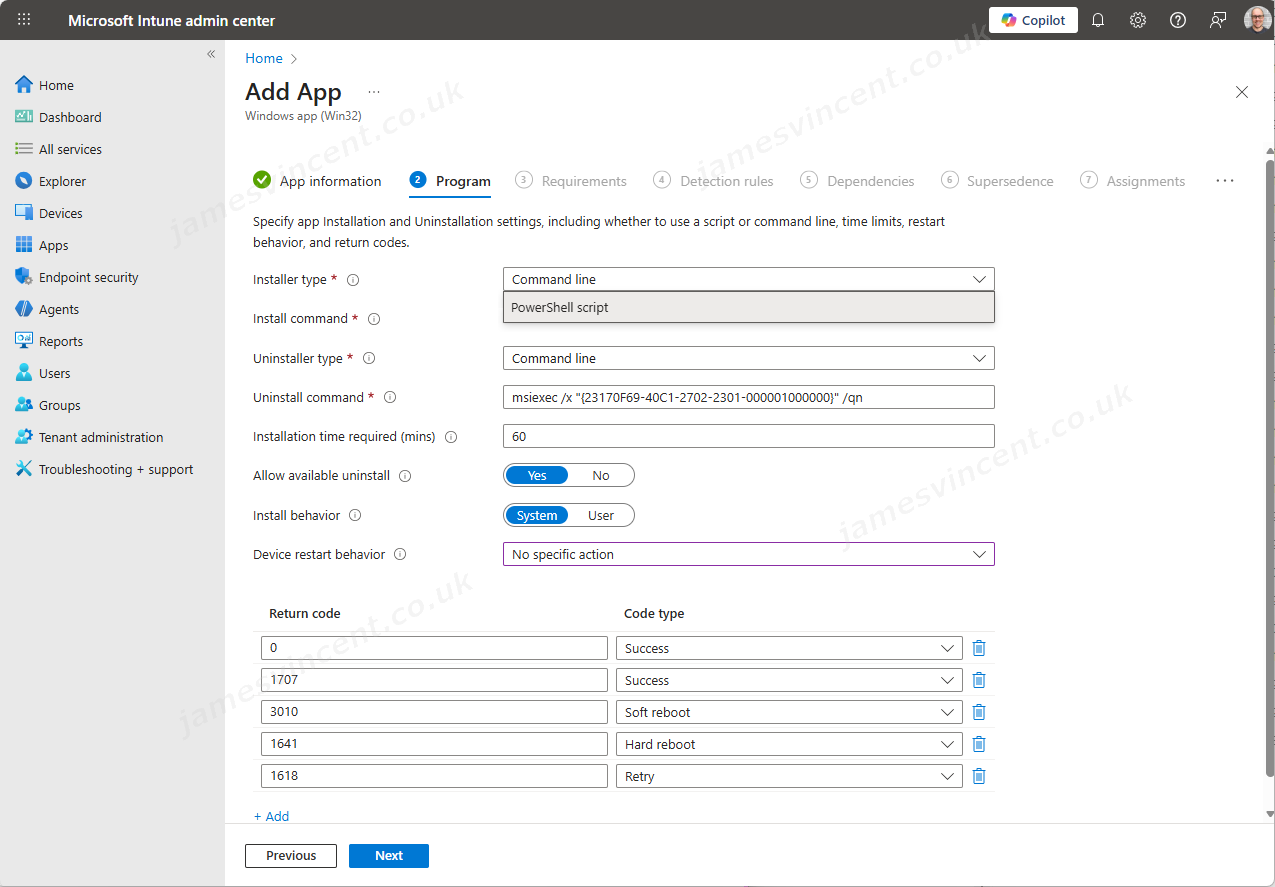
As of January 12, Microsoft have added the ability to now choose your Installer type, when packaging up a Win32 Application. The weekly service release changelog for 2511, published on November the 10th, included the following wording.

However, if you review the actual published article now at What’s new in Microsoft Intune – Microsoft Intune | Microsoft Learn (for Nov 10), there’s no sign of this now. This feature was seemingly pulled, until now.
And below, shows how to leverage the added functionality.
Important!
If you include/bundle a PowerShell Script inside of the .intunewin file, you’ll not be given the option to specify PowerShell script in the Installer Type drop down.
So in the past, when I (you?) would have an “Install.ps1” and “Uninstall.ps1” inside the .intunewin, and then call PowerShell from the command line, you need to drop that habit. Instead, exclude them from the package, and point to them when asked for an Install Script.


Big nod to Daniel Bradley at Our Cloud Network who covered this within PowerShell Script Support Added for Win32 Intune App Deployment.
The images used within this post are fabricated, the final release may differ.

Leave a Reply