14/06/26 – Update: Installing the June 2026 Updates will now “protect” you from the YellowKey vulnerability. At least to the point whereby the remediation script I/Microsoft released is no longer required. Read my post on the June patch release for further information.
On the 19th of May, Microsoft released a mitigation guide for the Windows BitLocker Security Feature Bypass Vulnerability, dubbed YellowKey.
YellowKey (CVE-2026-45585) is a Windows BitLocker bypass vulnerability that abuses the Windows Recovery Environment (WinRE) to grant an attacker with physical access unauthorised access to encrypted drives, potentially defeating default TPM-only BitLocker protections. Note. Physical device access is required.
Originally the Microsoft article included a series of manual steps that needed to be performed locally on each device. I personally haven’t administered physically, locally or on a 1:1 basis like this for years. So immediately I set about creating a remediation script for deployment via Intune. I love remediation scripts, because by throwing down a Detection script, you can gather data for reporting purposes – in bulk.
In this instance, following the guidance of the MS article, a detection script alone would be a good way to identify those impacted by the vulnerability. Once you identify your targets, you not only establish your scope and device count, but you can then fire out a remediation action too – if required.
I spent a good few hours on Wednesday evening playing with this, and creating a Detection and Remediation combination, and I’ll not lie, I had AI troubleshoot and resolve an issue I was having with the script timing out during the mount process… I then woke on Thursday to find Microsoft have published their own script. I should have known better. But this is not a race, nor is it a competition. It’s about ensuring the mitigation reaches as many people as possible, in the quickest time possible, to lessen the impact/risk. Also, as with all of this, the evening spent creation the scripts was a very good educational piece on my part. So all was not lost. [14/06, links removed as resolved with June 2026 patch release]
Detection Script: ../CVE-2026-45585/Detect-CVE-2026-45585.ps1
Remediation Script: ../CVE-2026-45585/Remediation-CVE-2026-45585.ps1
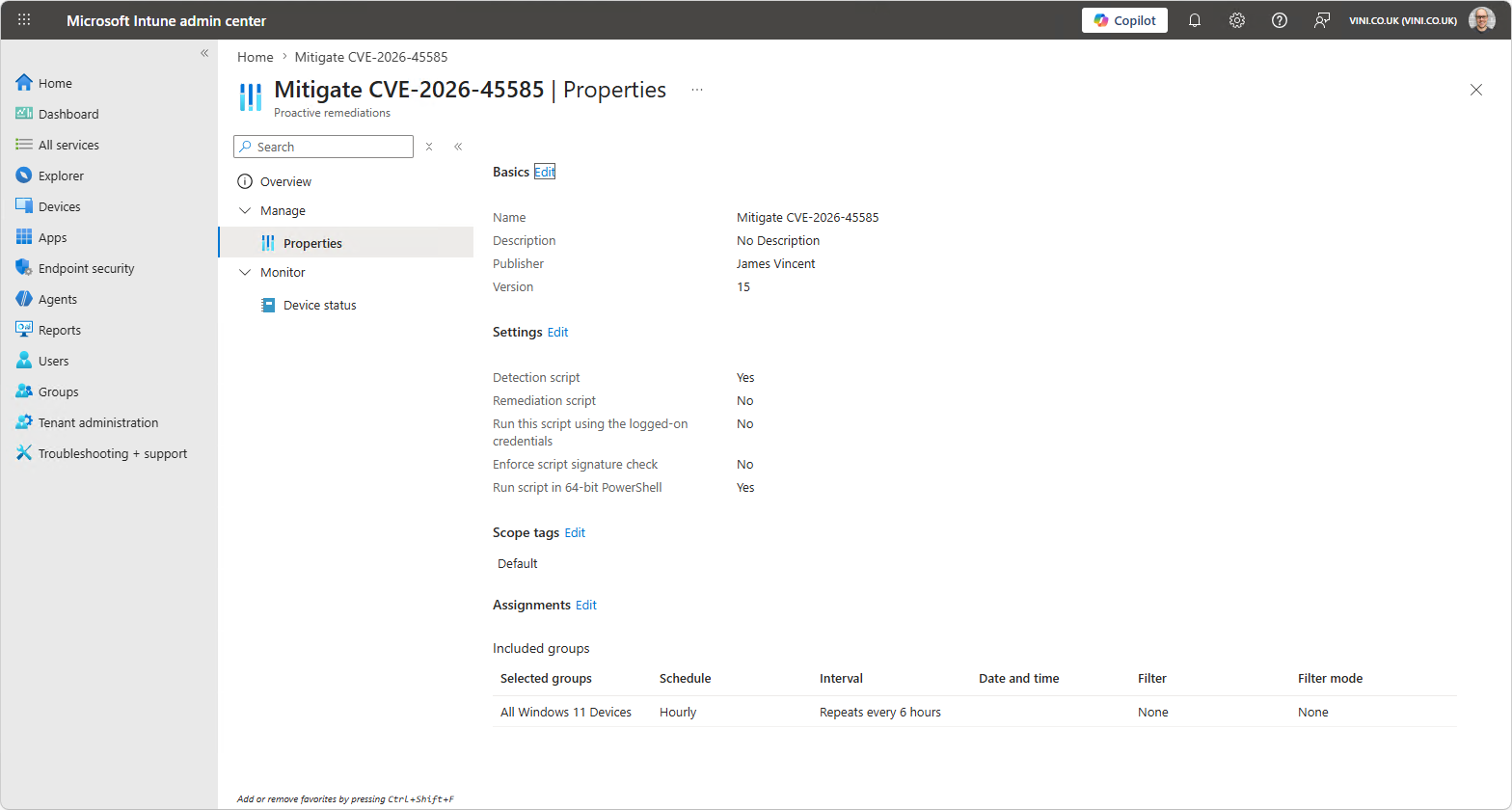
As should always be the case, a detection script is a tyre kicking/a poke/an investigation/a WhatIf. Start by running the Detection script manually, on a test device. Understand the outputs, check the logs (which write to the IntuneManagementExtension log dir). Perhaps then run the Remediation script. Verify it works in your environment, and start with a small scale deployment once you’re happy. All scripts are supplied “as-is” and without warranty, so caveat emptor.
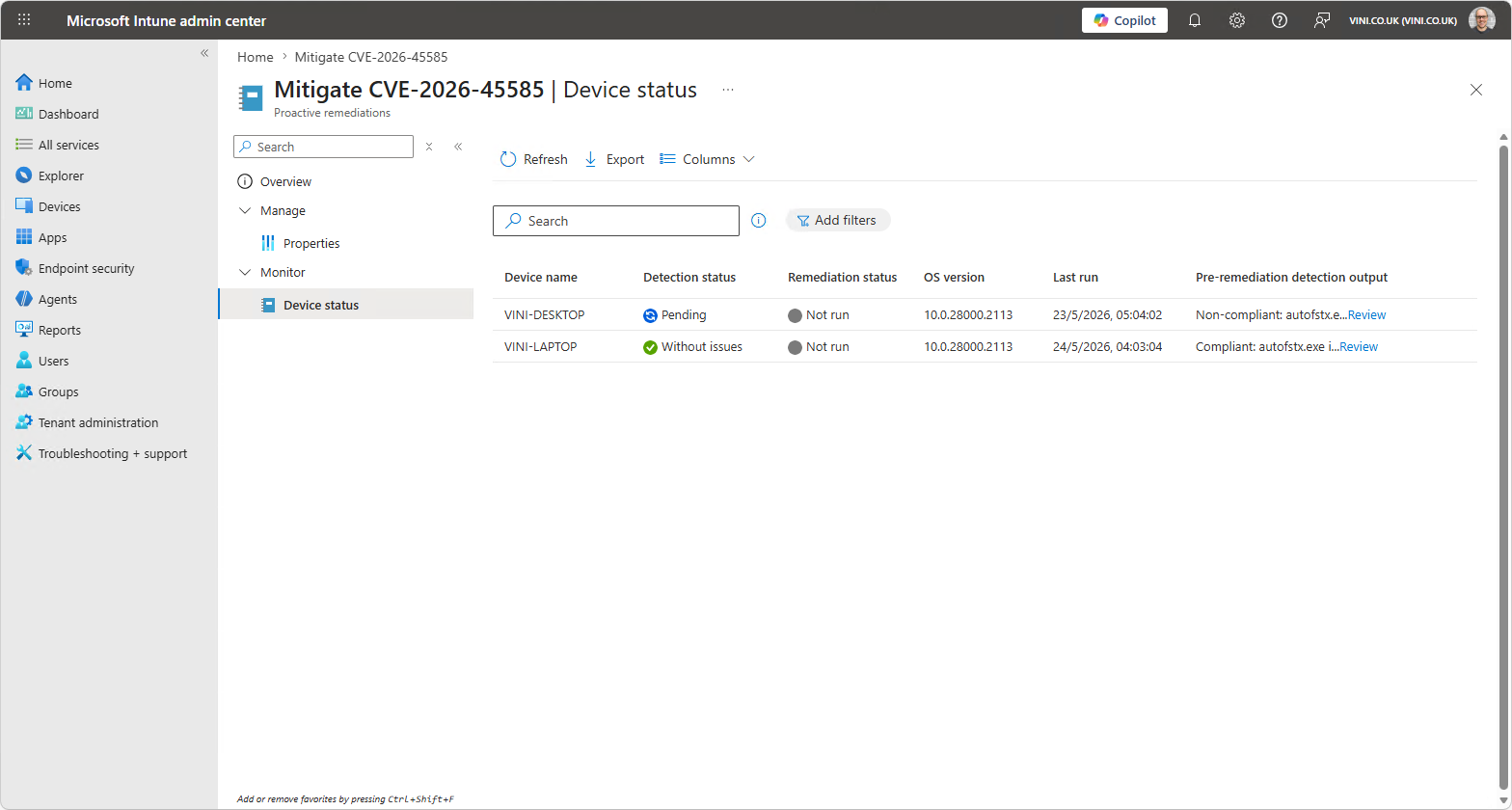
Enabling the Pre-remediation detection output column, should give you a nice friendly message in the console, without needing to poke around exporting data, or retrieving data using other means.
It’s worth adding at this moment in time, mitigation involves tweaking the WinRE image to prevent the access. It’s not a complete/total solution/fix to the problem, as such Microsoft now recommend using pre-boot authentication such as a PIN. Which raises the old question of TPM‑Only vs TPM+PIN: Which is right? (an article that pre-dates all of this, and probably needs revisiting now).

Leave a Reply