In an earlier post, I explained how to configure Windows EUC devices to report into Azure Log Analytics using Azure Arc. This wasn’t without purpose.
As described in that post, I’d been shown by a friend, how the Azure SRE Agent (and I guess know other AI tools) can, could and probably will, become a very valuable tool in the ever-growing toolbox of IT folks. This guide is very specific to Windows EUC devices, but the reality is, the Azure SRE Agent will help you investigate anything (within reason) against your tenant.
Just remember. If its cloud based, it’s costing money. Costs may be incurred if you venture down this path. Be warned. (Costs charged by your cloud provider, not me!)
What is Azure SRE Agent?
Azure SRE Agent (which is currently in Preview) is an AI-powered reliability assistant that helps teams diagnose and resolve production issues, reduce operational toil, and lower mean time to resolution (MTTR).
Ask questions in natural language, get explainable root-cause analysis (RCA), and orchestrate incident workflows with human-in-the-loop approvals or autonomous execution within scoped guardrails. You can configure the service’s agent to follow customized instructions and runbooks, and to enable consistent and scalable incident response aligned with your team’s operational practices.
Enabling and using the Azure SRE Agent
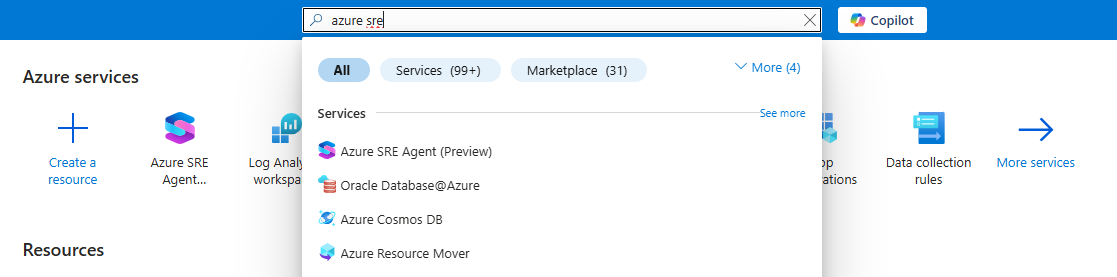
Login to Azure, and simply search for Azure SRE.
Click Create, and follow the onscreen prompts. At the time of writing, the agent is only available in Sweden Central, and East US 2 regions, but due to this being a preview, limitations like this should be expected. That said, it has zero impact on operations.
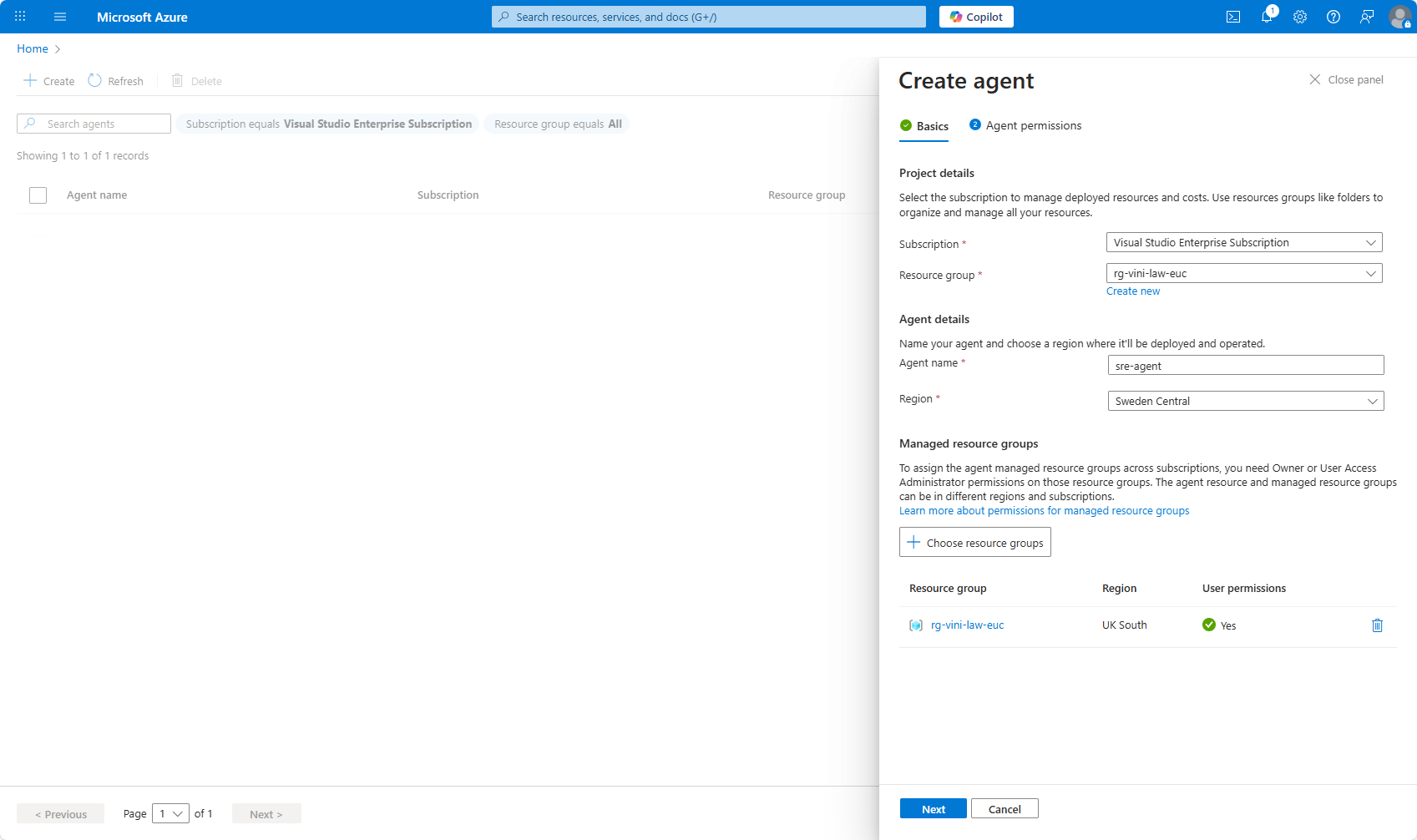
Once you have created the agent and linked it to your resource groups. That’s about it.
You can test the agent, by clicking on the agent that you just created.
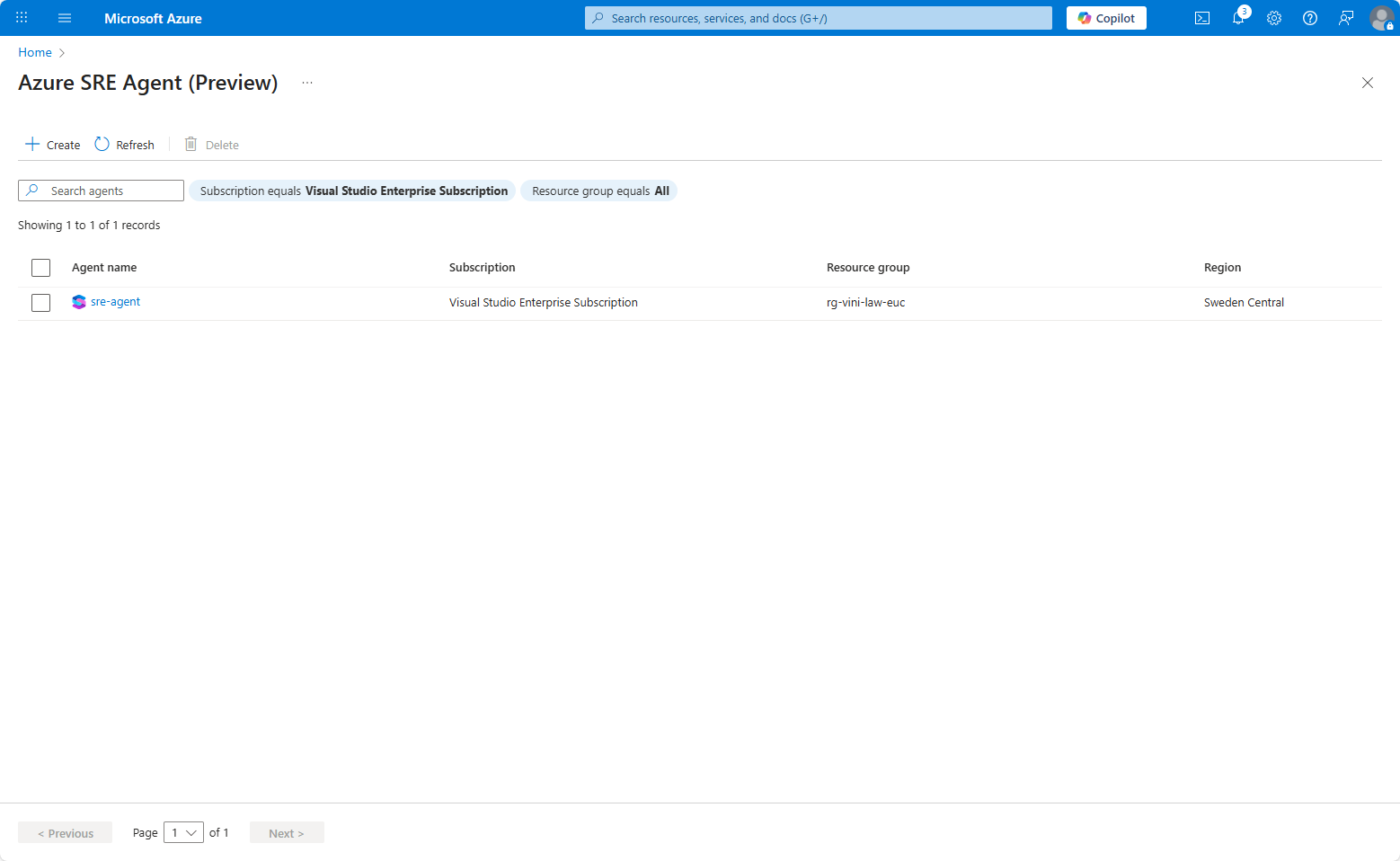
With the agent loaded, you can show off your very best, detailed, AI prompting skills. Just like mine in the screenshot below.
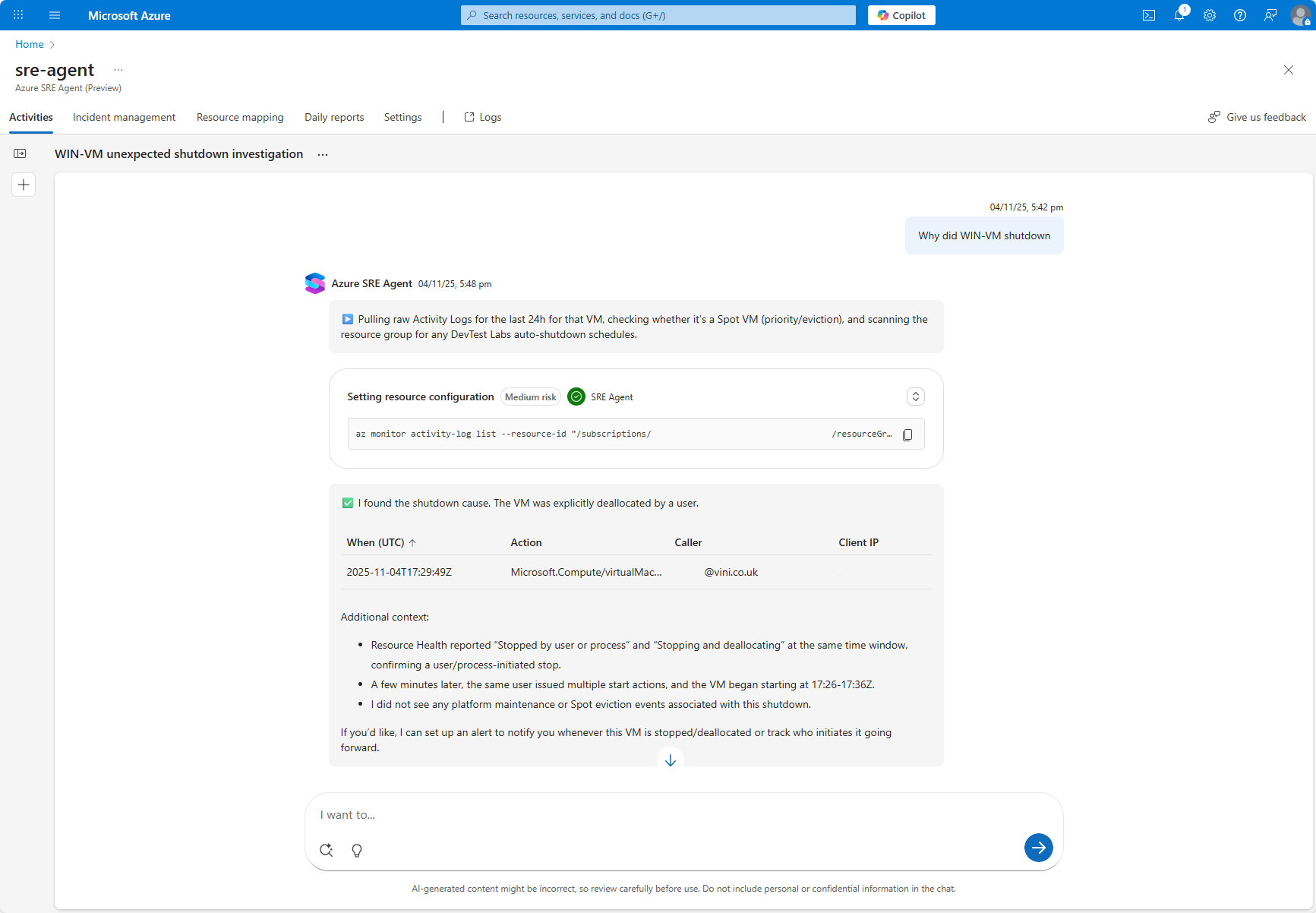
And then………….. just wait for the magic to happen.
Within minutes, the Azure SRE Agent had trolled through the logs. Identified when the machine was shutdown, why, and by whom.
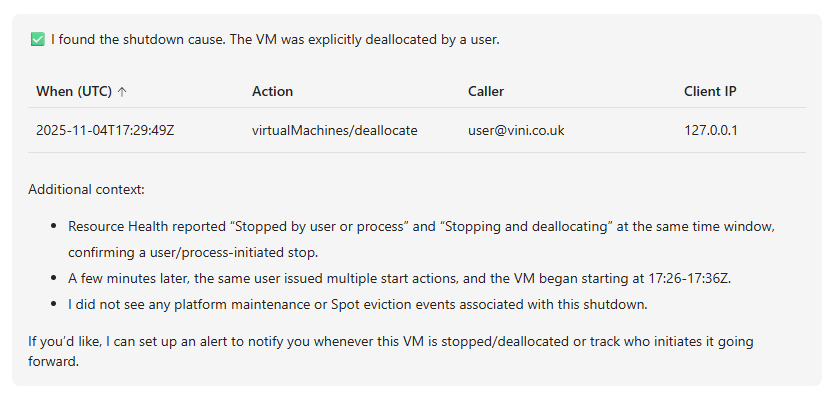
As someone who’s worked on every level of Service Desk. It’s not uncommon to be asked by a caller “when” or “why” a device drops offline, shuts down, or becomes unresponsive. Often, being able to pinpoint the reasoning and back it up with evidence can be tricky and time consuming, especially with the many thousands of logs that might be captured. (I say might because how many times have you realised the logs aren’t captured, until it’s too late!)
Heck, “log diving” is a skill in itself. A skill not everyone has. So, with Logs recorded in Azure Log Analytics, and an Azure SRE Agent configured. The future looks bright for being able to perform responsive investigations, that offer evidence and root cause analysis.
Hurrah for AI………..

Leave a Reply