A one liner for removing almost any Win32 application.

Quick, effective and quite often dirty. The mantra, work smarter not harder.

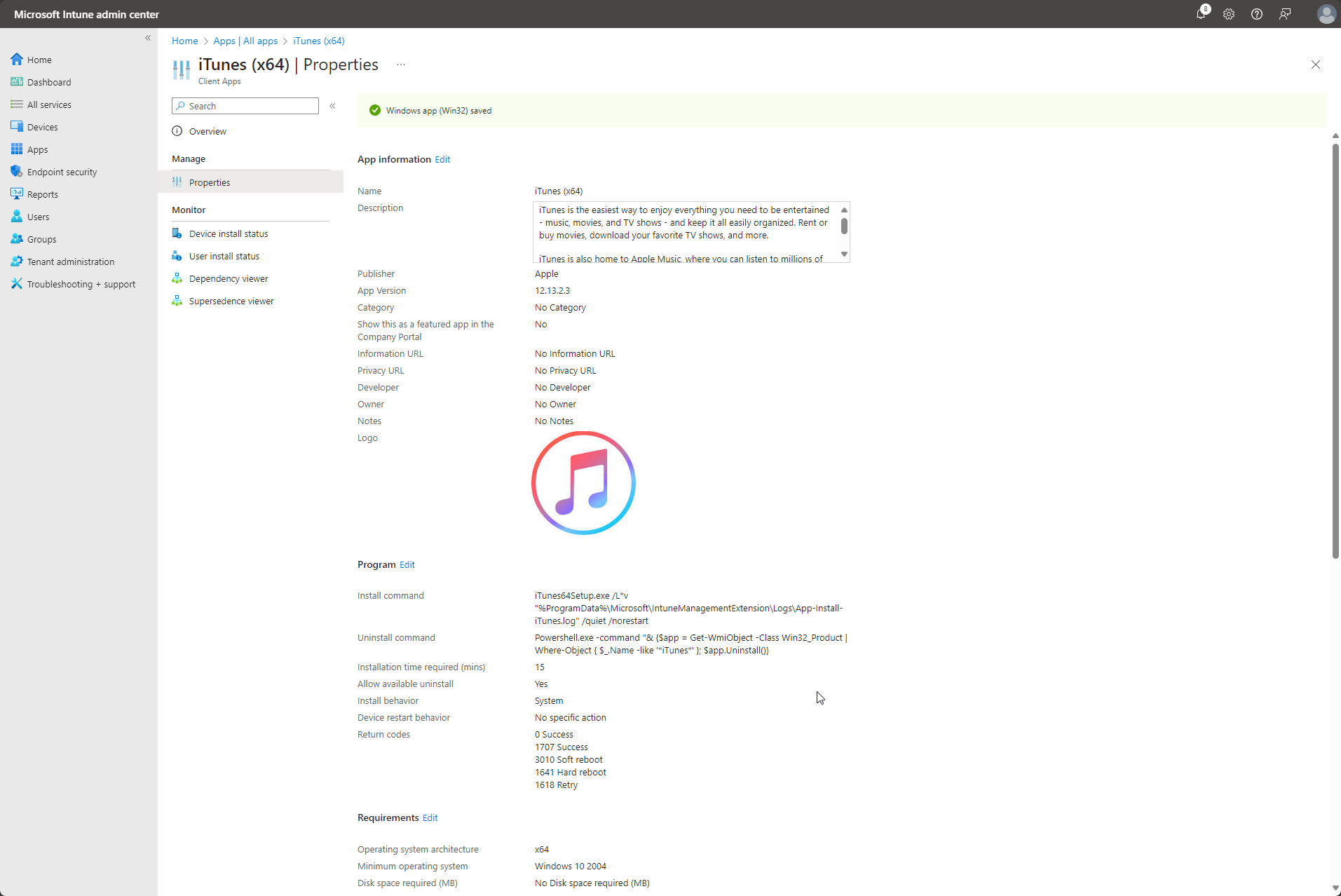
This is was a one line Uninstall command, that if modified to fit your needs, will would remove almost any application… Simply replace iTunes with the Application Name, or part of the Application Name (as it appears in Add Remove Programs), and this Uninstall command should work most of the time.

Powershell.exe -command "& {$app = Get-WmiObject -Class Win32_Product | Where-Object { $_.Name -like '*iTunes*' }; $app.Uninstall()}

Unfortunately, as pointed out in the comments, this approach is no longer recommended. Instead, the best course of action would be to refer to this Microsoft article: Working with software installations – PowerShell | Microsoft Learn
James avatar

2 responses to “A one liner for removing almost any Win32 application.”

  1. John Gage Faulkner

    For anyone here in 2026, Microsoft has since made it explicitly clear to avoid querying “Win32_Product” by all means necessary.

    Here are some references:
    – Here’s a ChatGPT summary:
    https://chatgpt.com/s/t_6a5c435bd6c481919a026a22750a493f
    – Microsoft Learn | Working with Software Installations:
    https://learn.microsoft.com/en-us/powershell/scripting/samples/working-with-software-installations?view=powershell-7.6
    – Windows Event Log shows that querying Win32_Product re-installed and reconfigured all apps installed via MSI:
    https://learn.microsoft.com/en-us/troubleshoot/windows-server/admin-development/windows-installer-reconfigured-all-applications

    Up-to-date sample code is provided on the first Microsoft Learn link.

    1. James

Leave a Reply

Your email address will not be published. Required fields are marked *