My Gazco Skope 135R electric fire developed a frustrating problem: the flame effect stopped changing colour and became stuck on blue.
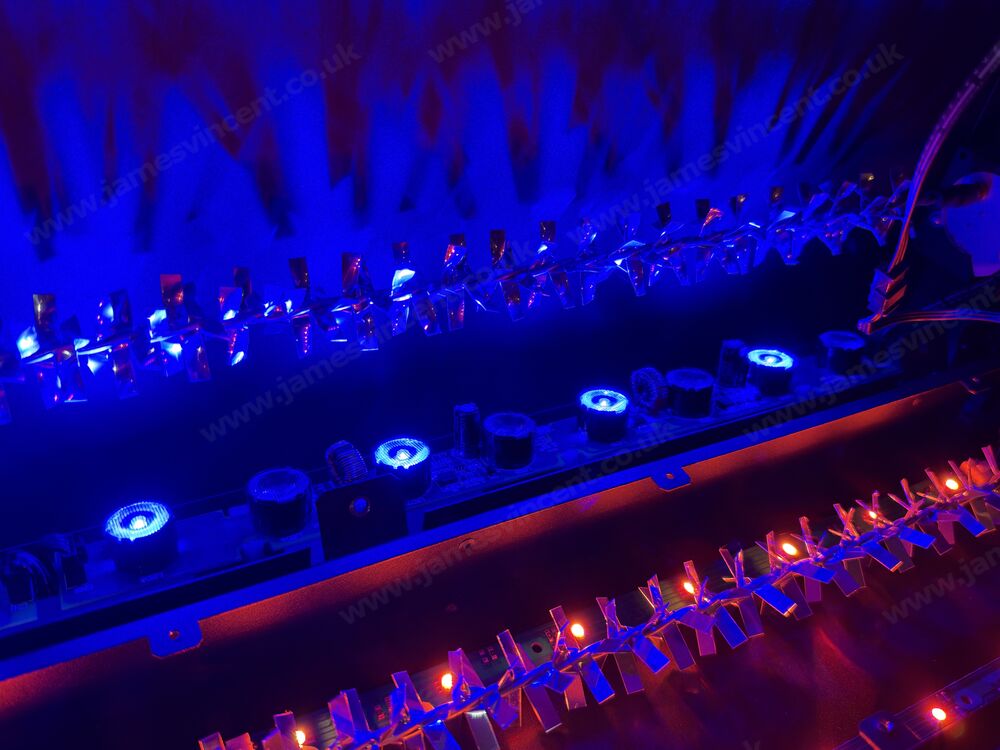
The fire itself worked perfectly. The heating function operated normally, the rotating flame-effect mechanism continued to work, and the fuel-bed LEDs could still change colour. However, the orange flame LEDs had stopped illuminating completely.
What initially seemed like a straightforward repair turned into hours of investigating circuit boards, testing electrical connections and trying to identify a fault in Gazco’s proprietary electronics. After spending approximately £105 replacing an LED board without success, I was faced with potentially spending another £215 on a replacement power unit. Instead, I eventually resolved the problem with a £45 smart LED strip from Govee.
Better still, because I already had the Gazco fire integrated with Home Assistant and Apple Home, the replacement lighting operates automatically whenever the fire is switched on.
The Problem: Blue Flames, No Orange
The Gazco Skope 135R uses a combination of LED lighting and a rotating flame-effect mechanism to create its flame display.
Normally, the flame lighting can switch between orange and blue, with adjustable brightness. In my case, the blue flames operated perfectly, including brightness adjustment. Selecting orange, however, resulted in the flame lighting going completely dark.
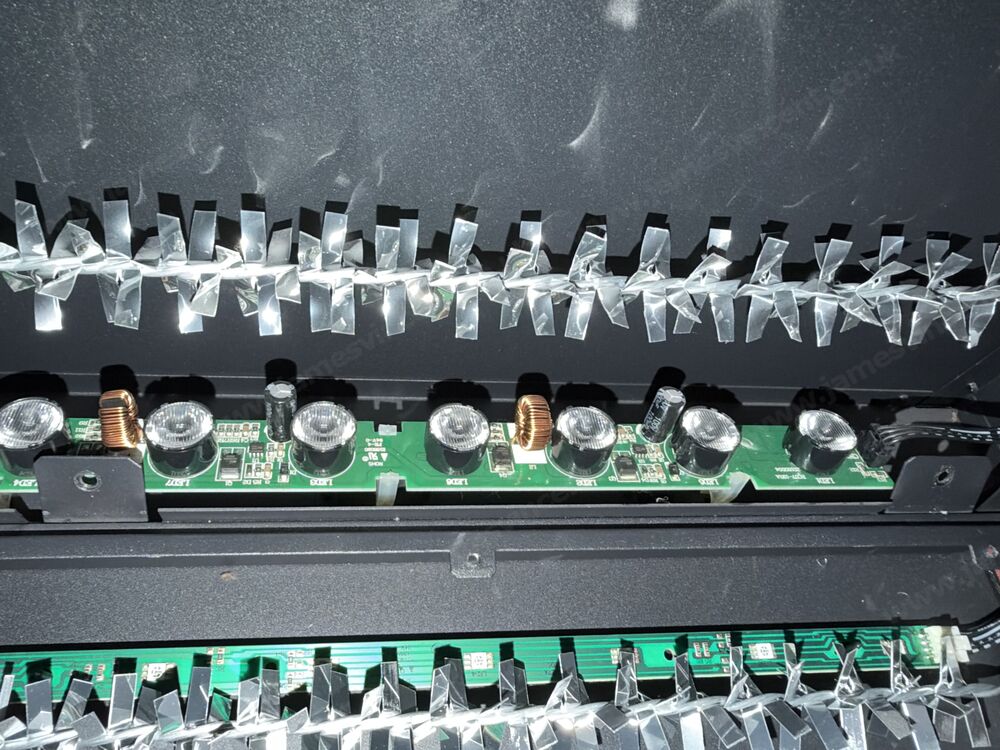
The fuel-bed LEDs worked normally, which immediately suggested that the fault was isolated to the flame-effect lighting rather than the entire electrical system. After removing the relevant panels to inspect the electronics, I discovered something interesting. The flame-effect lighting consisted of two alternating sets of LEDs: one blue and one orange. Every blue LED worked, while every orange LED remained off. That seemed unlikely to be a coincidence.
Investigating the Gazco LED Boards
Inside the Skope 135R are three interconnected flame-effect LED boards. These are the RC07-193A (Gazco part EL0722), which contains eight LEDs; the RC07-157A (EL0718), also containing eight LEDs; and the RC07-167A (EL0719), containing ten LEDs.
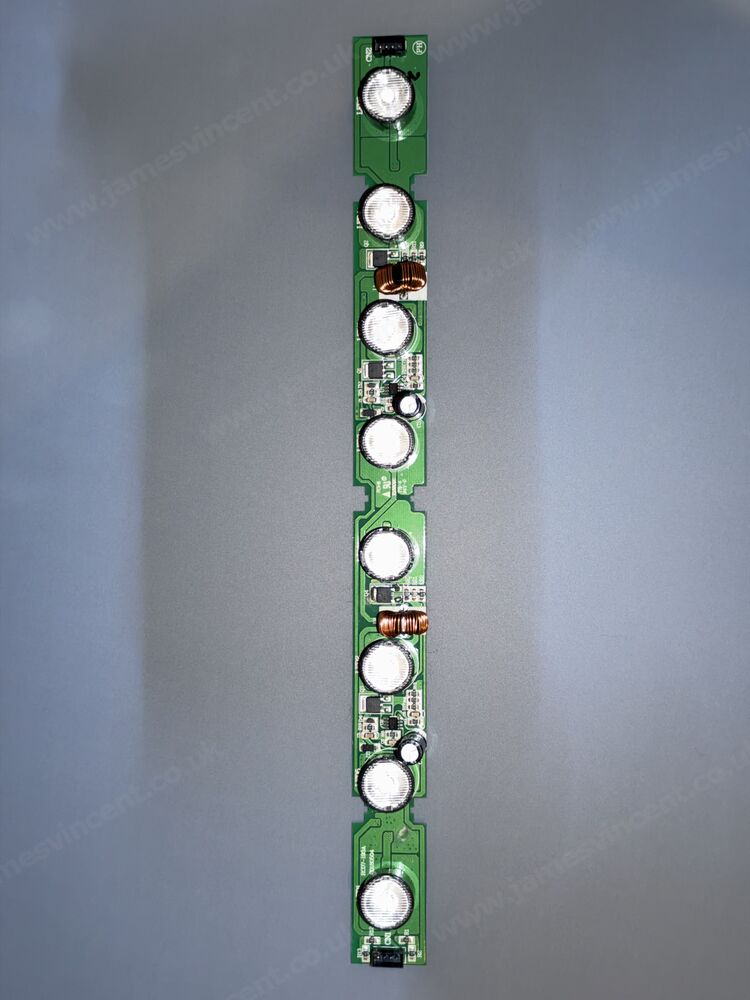
The boards are daisy-chained together using four-pin connectors. The first board, 193A, receives its connection from the main Gazco power/control unit, part number EL0711, via a connector labelled LED4. The connection arrangement is EL0711 → 193A → 157A → 167A.
Across the three boards, there are 26 LEDs in total. Of those, 13 blue LEDs were working and 13 orange LEDs were completely inactive. The fact that precisely half of the LEDs had stopped operating suggested a common electrical fault affecting the orange lighting circuit.
Testing the Connections
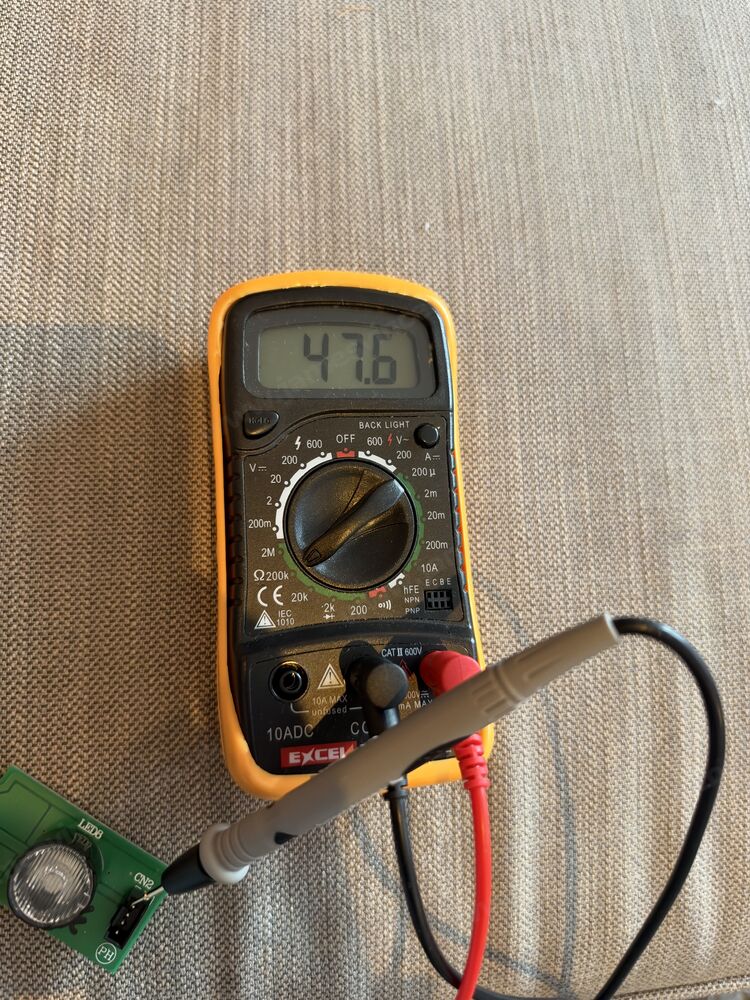
I started by checking the four-wire cable between the EL0711 power unit and the first LED board. Using a multimeter, I tested each conductor for continuity, and everything checked out. I then inspected the boards for damaged components, failed capacitors, broken tracks and suspicious solder joints, but nothing obvious stood out.
The 193A board was particularly interesting because it contained two sets of what appeared to be LED-driver circuitry, including copper-wound inductors and capacitors. This raised the possibility that one circuit controlled the blue LEDs and another the orange LEDs.
During my investigations, I also discovered that I could illuminate the blue and orange LEDs independently using the small test current from my multimeter. This demonstrated that the orange LEDs weren’t necessarily defective themselves, although it didn’t establish whether their normal driver circuit was functioning. At this point, I was beginning to suspect either the first LED board or the main power/control unit.
Replacing the EL0722 LED Board
Eventually, I decided to purchase a replacement EL0722 (193A) board. The genuine Gazco part was approximately £105. It wasn’t cheap, but I thought it was a reasonable gamble compared with replacing the much more expensive main control unit.
Unfortunately, after installing the new board, absolutely nothing changed. The blue LEDs continued to work, while the orange LEDs remained completely off. At least I’d largely eliminated the original 193A board as the likely culprit, but it was an expensive way to arrive at that conclusion.
The EL0711 Power Unit and Gazco Support
Attention then turned to the EL0711 power/control unit. This is the main electronics assembly responsible for controlling several functions of the fire. I removed the unit and examined both sides of the PCB, which contains a microcontroller, power-supply circuitry, relays and numerous smaller electronic components.
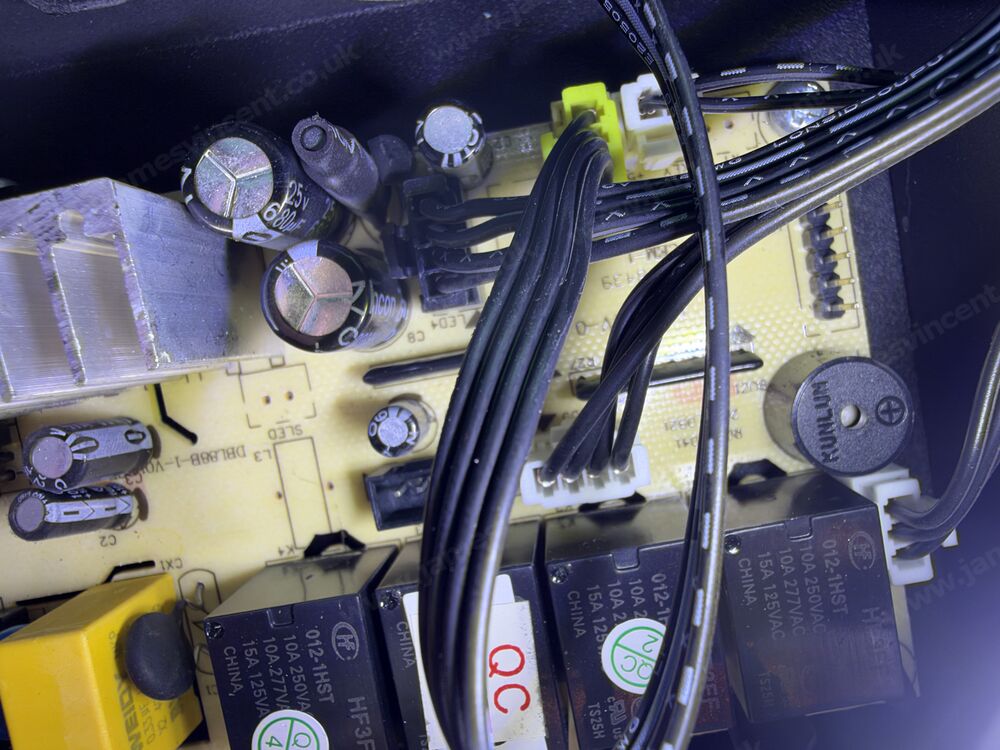
I was particularly interested in the four-pin LED4 connector, which feeds the flame-effect LED boards. Unfortunately, I couldn’t find a component-level schematic or pinout for this connection.
I contacted Gazco hoping they could provide some technical information that would help identify whether the orange lighting circuit was receiving the correct electrical signals. Even basic details such as the LED4 connector pinout or its expected output characteristics would have been useful. Unfortunately, I wasn’t able to obtain the information I needed.
I appreciate that manufacturers have legitimate safety concerns regarding component-level electrical repairs. Nevertheless, the lack of useful diagnostic information made a relatively minor lighting problem frustratingly difficult to resolve.
The replacement EL0711 power unit was listed at approximately £215. Having already spent £105 on an LED board that hadn’t resolved the problem, I wasn’t particularly keen on spending another £215 without knowing whether it would actually fix anything. That would potentially mean spending over £300 on replacement components to restore a simple orange flame effect. For an otherwise fully functioning electric fire, that seemed excessive, so I decided to approach the problem differently.
My £45 Fix: Govee Strip Light 2
Rather than repairing the proprietary Gazco lighting circuitry, I started looking at whether I could replace the illumination entirely. After all, the rotating flame-effect mechanism was working perfectly. It just needed a source of orange light.
I eventually purchased the Govee Strip Light 2, Smart RGBWWIC 3m LED Lights with LuminBlend+, from Amazon for £45.
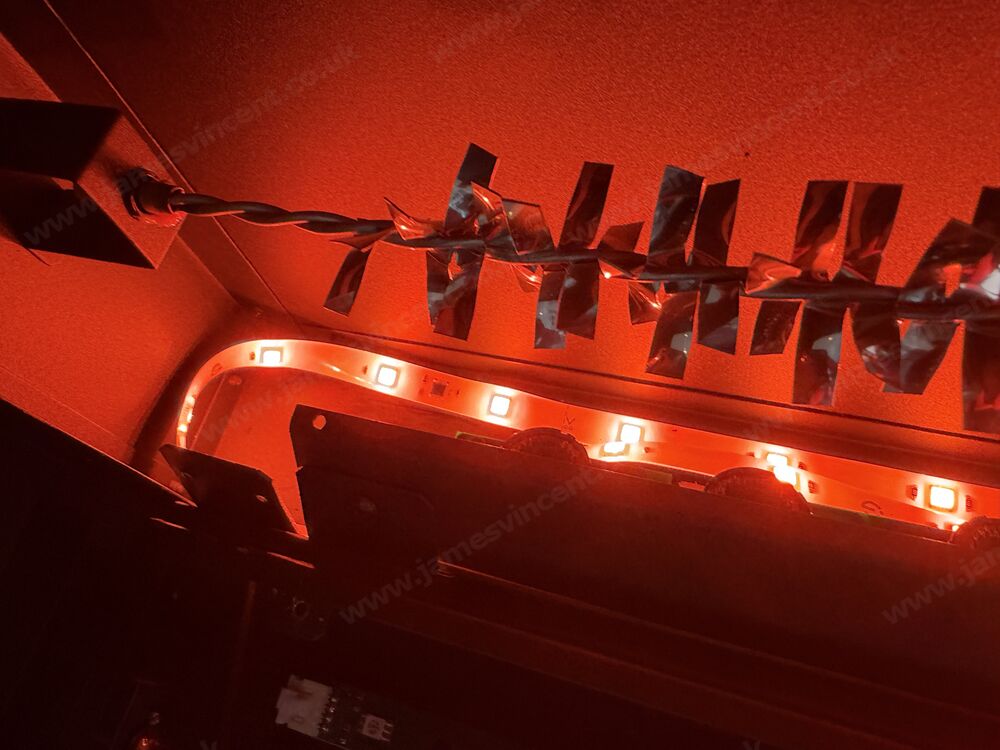
The Govee offered several advantages over the original Gazco lighting. It supports a much larger range of colours, adjustable brightness, smart control through Matter and straightforward integration with Home Assistant. More importantly, it cost considerably less than another genuine Gazco replacement board.
Admittedly, I was primarily interested in restoring the orange flame effect. Having access to a much wider colour spectrum was simply a bonus.
Installing the LED Strip
The physical installation was surprisingly straightforward. I routed the Govee LED strip into the fire through the plastic grab handle towards the top of the appliance. From there, I followed the existing internal cable channels, routing the strip down into the area where the original flame-effect LED boards were installed.
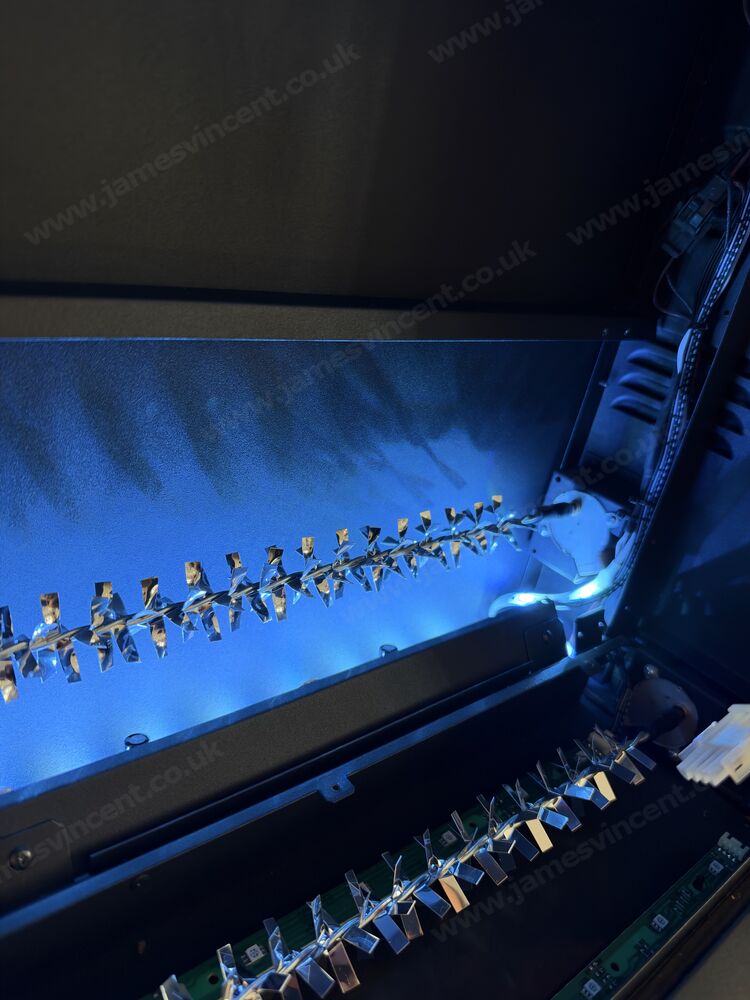
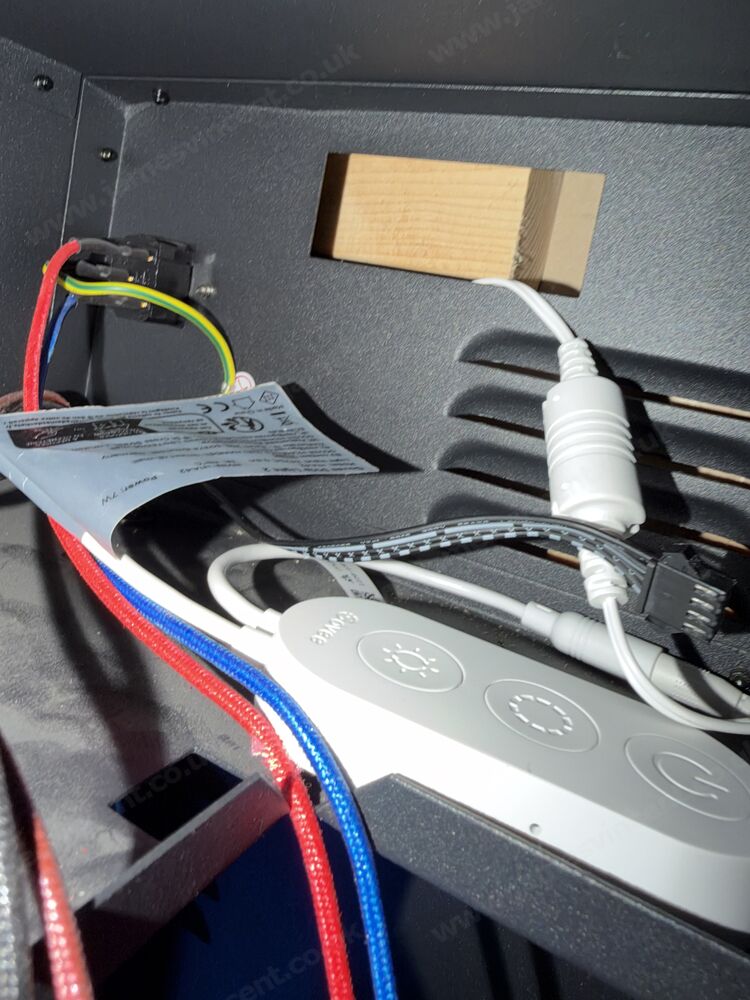
This positioned the new lighting in the same general area as the original LEDs, allowing it to illuminate the existing rotating flame-effect mechanism. Crucially, the Govee uses its own lighting controller rather than relying on Gazco’s faulty flame LED output. I didn’t need to work out the EL0711’s electrical pinout or attempt to adapt a generic strip to its proprietary LED-driver circuitry.
A note on safety: This is an unofficial modification to a mains-powered heating appliance, rather than a manufacturer-approved repair. Anyone considering something similar should have the installation assessed for heat exposure, cable insulation and routing, power-supply placement, secure mounting, ventilation and electrical safety. Existing thermal protection and other safety systems must not be altered or bypassed.
Making Everything Work with BroadLink and Home Assistant
One of the biggest advantages of my setup is that I already had the Gazco fire integrated into Home Assistant. Long before the original flame LEDs failed, I’d configured a BroadLink RM4 Pro RF transmitter to control the fire.
The BroadLink RM4 Pro can learn and transmit compatible radio-frequency commands. I’d previously taught it the Gazco fire’s power commands, allowing me to control the fire through Home Assistant without needing to use the original remote. I then exposed the fire to Apple Home, meaning I could simply say, “Hey Siri, turn the fire on”, and the Gazco would switch on.
This setup worked perfectly before the lighting problem developed, so I wanted to retain that functionality rather than introduce another remote control or separate lighting switch.
Adding the Govee Through Matter
The Govee Strip Light 2 supports Matter, making it straightforward to integrate into Home Assistant. Once paired, I had two independently controllable components: the original Gazco fire, controlled through the BroadLink RM4 Pro using its learned RF commands, and the new Govee lighting, controlled directly through Matter.
The final step was bringing both together so they behaved as one device.
One Virtual Fire Entity to Control Everything
Within Home Assistant, I have a virtual entity called Fire, which provides a single point of control for the entire setup. When I switch it on, Home Assistant sends the learned RF power-on command through the BroadLink RM4 Pro to the Gazco fire and simultaneously switches on the Govee LED strip using my preferred orange lighting. Switching the virtual Fire entity off sends the corresponding RF power-off command and turns off the Govee.
It’s a simple arrangement, but it works extremely well. From Apple Home’s perspective, there’s still just one Fire accessory, so I can continue using Siri exactly as I did previously.
When I say “Hey Siri, turn the fire on”, the Gazco switches on and the Govee lighting illuminates at the same time. Saying “Hey Siri, turn the fire off” switches both off together. There’s no second remote, no separate switch and no need to think about the Govee independently. The entire workaround is effectively invisible during normal use.
It’s worth mentioning that the BroadLink transmits the learned RF commands rather than independently confirming the fire’s physical state. Consequently, the virtual Fire entity reflects commands issued by Home Assistant, and its displayed state could become inaccurate if the fire is operated outside that setup. For my normal usage, however, the arrangement works exactly as intended.
The Cost Comparison
Looking back, the cost difference between the genuine Gazco replacement components and my eventual workaround was significant.
| Component | Approximate cost | Outcome |
|---|---|---|
| Gazco EL0722 LED board | £105 | Replaced, but didn’t resolve the fault |
| Gazco EL0711 power unit | £215 | Not purchased |
| Govee Strip Light 2 (3m) | £45 | Restored the flame illumination |
| BroadLink RM4 Pro | Already owned | Existing RF control integration |
| Home Assistant | Already running | Coordinates both devices |
The replacement EL0711 alone would have cost approximately £170 more than the Govee strip. Of course, I’d already spent around £105 on the replacement 193A board, which ultimately proved unnecessary. Nevertheless, the final workaround avoided another expensive purchase and provided considerably more flexibility.
The Final Result
After hours of troubleshooting Gazco’s proprietary LED circuitry, the eventual solution was remarkably simple. The original rotating flame-effect mechanism remains in place and continues operating normally, while the Govee Strip Light 2 provides the illumination. Home Assistant coordinates the lighting with the fire’s operation, using the BroadLink RM4 Pro to handle the original RF commands.
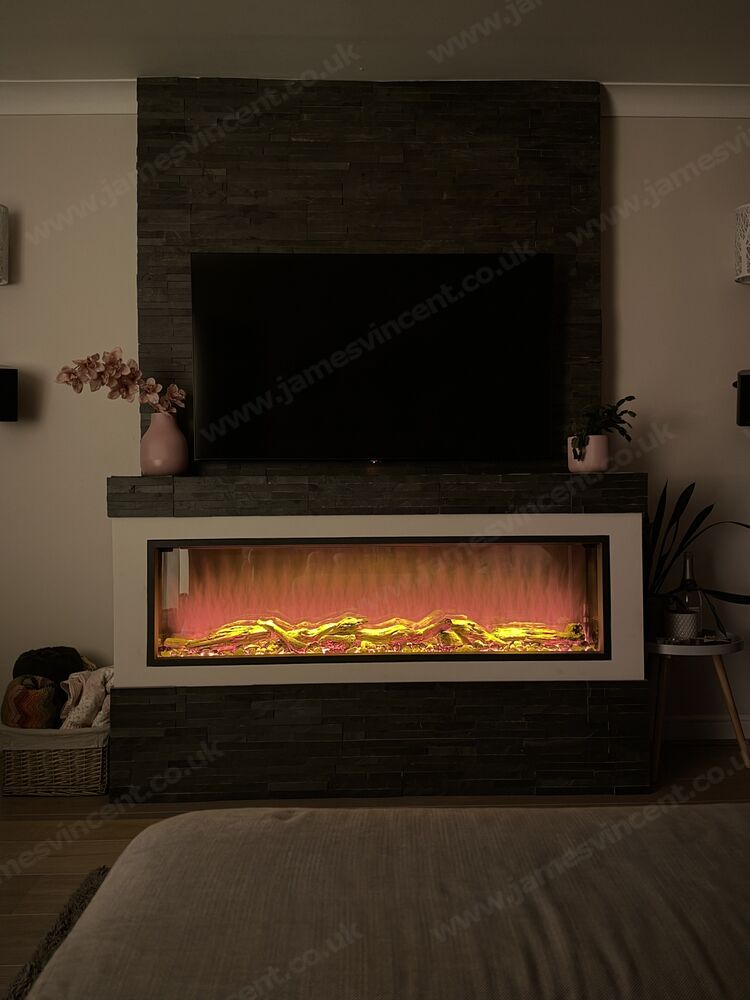
Thanks to my existing Apple Home integration, I can still control everything using Siri. Operationally, nothing has changed, but I’ve gained a considerably more capable lighting system.
The original Gazco lighting provided a limited selection of flame colours. With the Govee installed, I now have a far wider colour palette and much more control over brightness and colour selection. Not that I’m likely to use much beyond a convincing orange flame, but it’s nice to have the option!
Was the EL0711 Actually Faulty?
I still suspect that the EL0711 power/control unit was responsible for the original problem, but I never conclusively proved it. All 13 blue LEDs worked, all 13 orange LEDs remained off, and the replacement 193A board made no difference. The four-wire connection also passed continuity testing, and I could illuminate the original orange LEDs independently using a multimeter.
Those findings pointed towards a shared orange-channel supply or control fault. However, without the necessary technical documentation or further diagnostic equipment, I couldn’t establish precisely which component had failed.
In the end, I decided it wasn’t worth pursuing. The replacement Govee lighting solved the problem I actually cared about. Infact, I didn’t care at all, it was the wife who noticed and complained, but it gave me an excuse to have a play/buy gadgets.
Final Thoughts
I’ve always preferred repairing equipment rather than replacing it, particularly when the fault seems relatively minor. However, this experience illustrates just how frustrating proprietary electronics can be.
The cost of genuine Gazco spare parts was difficult to justify, especially when I couldn’t obtain the technical information necessary to identify the failed component with any confidence. To be fair, I’m not suggesting that Gazco should encourage unqualified repairs of mains-powered equipment. There are legitimate safety considerations, but having to consider replacing a £215 control unit because one lighting channel has failed doesn’t feel particularly economical or sustainable.
In my case, a £45 Govee Strip Light 2, combined with an existing BroadLink RM4 Pro and Home Assistant, provided a practical and much more flexible solution. The fire looks the way I want it to, the lighting responds automatically, and I can still control everything through Apple Home and Siri.
Sometimes, the best solution isn’t replacing the faulty component with an identical part. It’s finding a different way to achieve the same result.
And, as an unexpected bonus, my Gazco Skope 135R now has a considerably more capable lighting system than it did originally.

Leave a Reply